

WiFi Radar is a Python/PyGTK2 utility for managing WiFi profiles.It enables you to scan for available networks and create profiles for your preferred networks. At boot time, running WiFi Radar will automatically scan for an available preferred network and connect to it. You can drag and drop your preferred networks to arrange the profile priority.
Install WiFi Radar in ubuntu
sudo aptitude install wifi-radar
This will complete the installation.
Using WiFi-Radar
If you want to open goto Applications—>Internet—>Wifi-radar

This will prompt for root password enter and click ok

This should detect available wireless networks check your wireless and connect
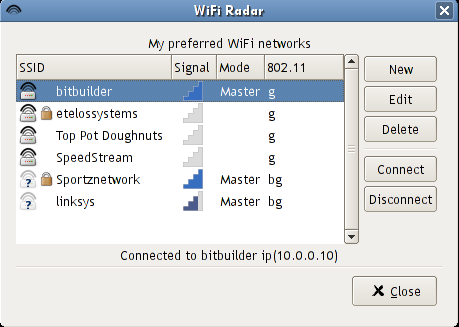
If you want to create new profile open the application and click on new

You can see similar to the following scree enter all the details and you are ready for wireless


Post a Comment